How Can We Help?
Use the WAN port as a second LAN port (switch mode)
This procedure turns the two RJ45 ports of the ACE-GTW into a simple switch: both ports are on the same local network.
⚠️ Once this is done, never connect both RJ45 ports to the same network: this creates a network loop.
Move the WAN port into the LAN
During this step, you can still reach the gateway at 192.168.8.1.
- Connect your PC to the LAN port of the ACE-GTW and open http://192.168.8.1
- Go to Network > Switch
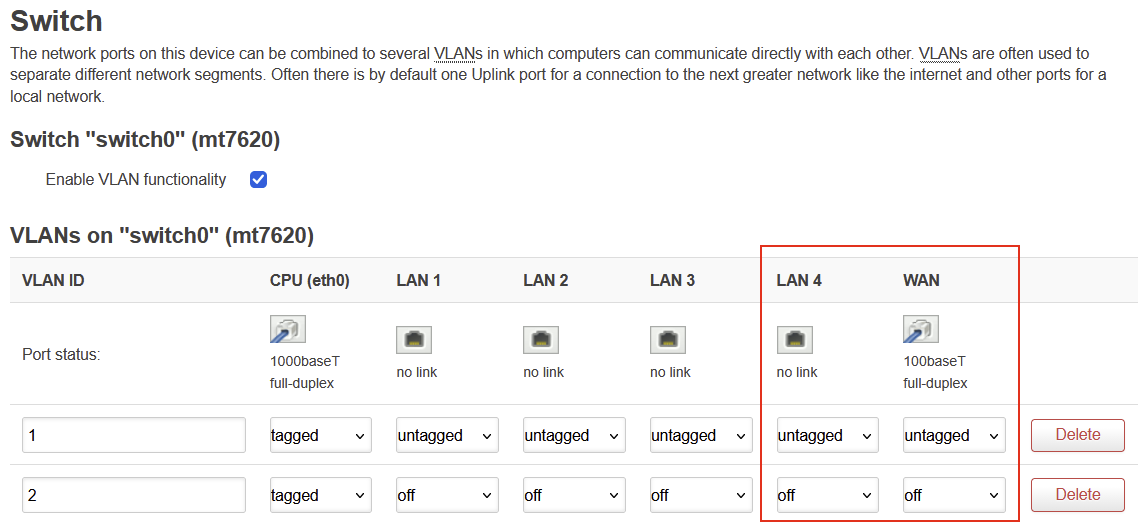
- In the VLAN 1 row, set the WAN column to untagged
- In the VLAN 2 row, set the WAN column to off
- Leave the CPU (eth0) column set to tagged in both rows
- Click Save (not Save & Apply)
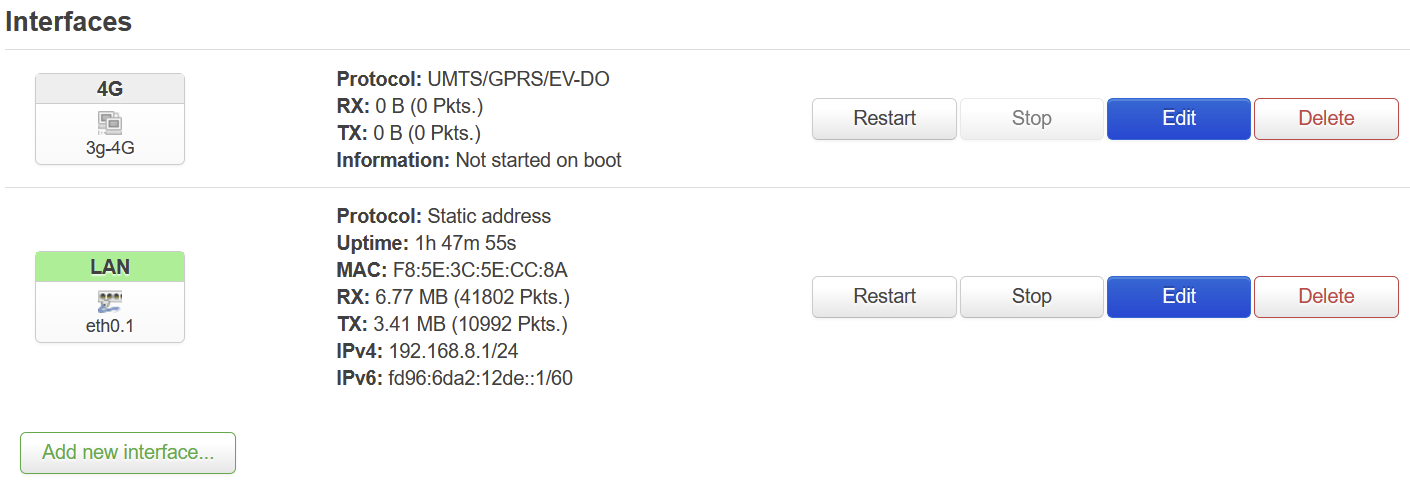
- Go to Network > Interfaces and click Delete on WAN and on WAN6
- Click Save & Apply
- Check: plug your PC into the WAN port. It should get a 192.168.8.x address, and http://192.168.8.1 should open